



كانت لدي حوالي عشرين سؤالاً قبل الطلب، وأجاب الفريق عن كل سؤال بصبر، حتى الأسئلة البسيطة. شعرت بالاهتمام منذ الرسالة الأولى.
How to use Lucine
A quick walkthrough of Lucine's controls to get started.

Jump to: Controls · Clean the filter · Troubleshoot
Simple controls. Three ways to use Lucine.
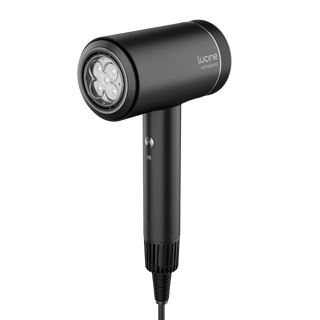
- POWER: Slide to I for low airflow or II for high airflow.
- TEMPERATURE: Click the temperature button to choose cold, warm or hot.
- INFRASONIC: Long-press the temperature button to start automatic air-and-temperature cycling.
- LIGHT: Press IR to switch on 660 nm red and 850 nm near-infrared together.
For hair-type-specific starting points, see Find Your Lucine Settings. For the full technology explanation, see How Lucine Works.
Clean the filter: five steps, monthly.
- Switch Lucine off and unplug it, then let it cool down fully before cleaning.
- Detach the back cover and remove the filter.
- Brush away lint and hair, then rinse the filter under running water if it needs a deeper clean.
- Let the filter air-dry completely before refitting it. Never reattach it damp.
- Click the filter and back cover back into place and confirm airflow feels normal on your next use.
Clean the filter at least once a month, and more often with heavy or daily use. A blocked filter is also the most common cause of reduced airflow, see Troubleshoot below.
Troubleshoot
No power
Confirm the plug is fully inserted and try a different outlet. Check that the power slide is set to I or II.
Low airflow
Check that the filter and back cover are clean and correctly fitted, and that nothing is blocking the air intake. See Clean the filter above.
Unexpected shutdown
Lucine has a thermal safety cut-off that can trigger if airflow is restricted. Let it cool for a few minutes, clean the filter if needed, then restart.
IR light not turning on
The red + near-infrared light only activates in cool/cold airflow. Switch to cold and press IR again. The light automatically turns off in warm or hot mode.
Unusual heat
Stop use immediately, unplug Lucine and let it cool. If unusual heat continues on your next use, stop using the device and contact Aurrelle Customer Care.
If your issue isn't listed here or continues after trying these steps, contact Aurrelle or check your warranty coverage.